





GAMING CHAIR ERGONOMICS GUIDE
Long gaming sessions that stretch late into the night are part of the fun, but those extra hours may come at the cost of poor posture. Over time, this can contribute to neck tension, upper back discomfort, and wrist pain.
UNDERSTANDING AND FIXING GAMER’S NECK
Gamer’s neck (often called tech neck) develops when you spend hours with your head pushed forward toward the screen. Left uncorrected, that posture overloads the small muscles in your neck and upper back, which can lead to stiffness, headaches, and tight shoulders.
In a good, seated posture, your core and upper back share the workload. During prolonged sessions, however, those larger muscles tire out – especially in a chair with weak support. When that happens, most people “cheat” by slouching and jutting their head forward. This might feel easier short term, but forces your neck to hold more weight, which is why the pain builds up.
GOOD POSTURE AND YOUR SETUP
Good posture starts with sitting upright while keeping your spine’s natural curves. Your back should be supported by the chair’s backrest and lumbar support, your shoulders should stay relaxed (not rounded forward), and your head should stay tall with your ears roughly lined up over your shoulders. Set your monitor at eye level to keep your head upright rather than extending forward.
If your chair is set too high or too low relative to your desk, your wrists often end up bent up, down, or sideways while typing or using the mouse. During long sessions, this can cause pain, tingling sensations, or numbness in your hands. Aim for straight wrists and forearms roughly parallel to the floor, with your elbows comfortably supported.
Finally, instead of trying to stay perfectly rigid, the goal is to stay supported while allowing small movements and quick posture adjustments. A gaming chair with ergonomic features can help you maintain good posture for longer. Just as importantly, take short breaks periodically to give your muscles a chance to recover.
KEY GAMING CHAIR FEATURES
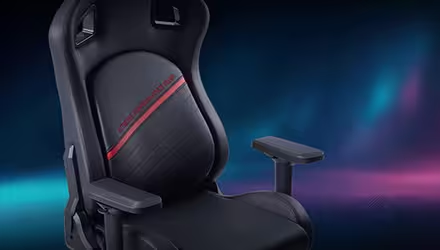
A good gaming chair goes beyond the racing seat look. It also prioritizes comfort and ergonomics by keeping your spine stacked so your neck and shoulders are not forced to work overtime, such as the NEXUS PLUS.
Start with proper lumbar support that sits in the small of your back (not mid-back). Ideally, it is adjustable, so it can match your height and how you naturally sit. A stable backrest that supports a natural upright angle (about 90–110°) helps you stay aligned without sliding forward, and a seat depth that fits your legs (about 2–3 fingers of space behind your knees) helps with comfort and makes short breaks easier.
The chair also needs to match your desk stetup. A seat height that keeps feet flat and knees around 90°, plus 4D armrests (height, width, depth, and angle/pivot) so your elbows can rest comfortably and your shoulders stay relaxed instead of rounded forward. A sturdy base and smooth recline tension matter too - no wobble, and no tilt that feels locked upright.
Quick test: after 10 minutes, you are not creeping forward, your lower back still feels supported without effort, and your shoulders stay relaxed.


