CO JE TO ZÁKLADNÍ DESKA S KONEKTORY NA ZADNÍ STRANĚ (BTF)?
Základní desky s konektory na zadní straně přesouvají mnoho interních konektorů z přední strany na zadní stranu desky s plošnými spoji (DPS) V závislosti na značce se často označují jako základní desky s konektory na zadní straně. Přínosem je uhlazenější vzhled sestavy a potenciálně lepší proudění vzduchu, pokud tedy počítačová skříň podporuje rozvržení obrácené na zadní stranu.
JAK FUNGUJÍ ZÁKLADNÍ DESKY S KONEKTORY NA ZADNÍ STRANĚ?
Na základní desce s konektory na zadní straně je mnoho konektorů přesunuto na zadní stranu desky, aby nebyly vidět. Obvykle to zahrnuje 24kolíkový napájecí konektor ATX, porty SATA, konektory ventilátorů a přední vstupy/výstupy. Některá prostředí jdou dál tím, že spárují základní desku s kompatibilní konstrukcí grafické karty, aby bylo na očích ještě méně kabelů. Například deska ASUS Advanced BTF využívá u některých základních desek BTF vysoce výkonný vyhrazený slot pro grafickou kartu. V praxi tyto základní desky pomáhají redukovat množství viditelných kabelů, zlepšují proudění vzduchu a nabízejí elegantnější vzhled.
VÝHODY A NEVÝHODY
Základní desky s konektory na zadní straně nabízejí velké estetické výhody, ovšem na úkor některých praktických vlastností.
Uhlazenější sestavy
Ve skříních se skleněnými panely, kde je všechno vidět, jsou díky konektorům na zadní straně kabely uklizené z dohledu, takže scéně dominují komponenty a nikoli kabely.
Snazší přístup a údržba
Díky tomu, že je většina kabelů vedena za držákem desky, hlavní prostor je uspořádanější. Výměna komponent (například grafické karty nebo paměti RAM) je obvykle jednodušší a stejně tak je snazší i čištění.
Potenciální výhody pro proudění vzduchu
Menší změť kabelů, může znamenat méně překážek, což může zlepšit proudění vzduchu ke klíčovým komponentám, obzvlášť v menších skříních.
Omezená kompatibilita se skříněmi
Základní desky s konektory na zadní straně vyžadují skříně se správnými výřezy a dostatečným prostorem za držákem desky. Vzhledem k tomu, že tento formát je stále ještě poměrně okrajovou záležitostí, nabídka kompatibilních skříní je omezenější. Proto dodavatelé základních desek často spolupracují s výrobci skříní, aby mohli nabídnout ověřeně kompatibilní modely.
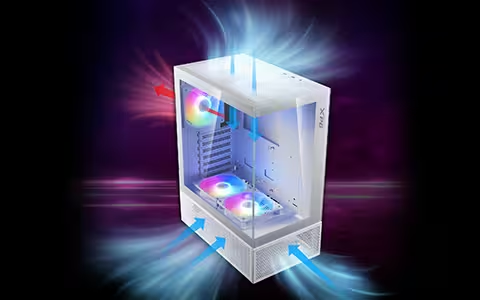
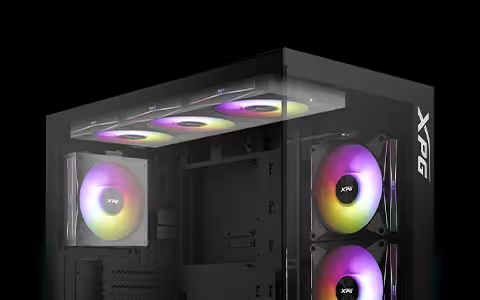
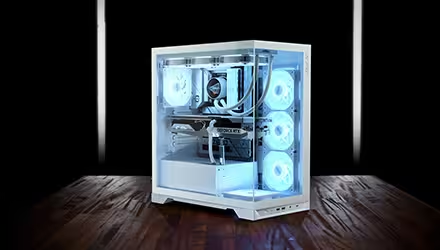
Například značka XPG nabízí dvě kompatibilní skříně: skříň STARKER AIR BTF vhodnou pro začátečníky se čtyřmi předinstalovanými ventilátory a panoramatickou skříň INVADER X BTF , která přidává správu kabelů připravenou na budoucnost a dodává se se čtyřmi předinstalovanými převrácenými ventilátory a jedním standardním ventilátorem.
Na prostoru pro kabely stále záleží
Vedení je čistší, ale zadní strana může být zaplněná. Vzhledem k tomu, že konektory vyčnívají ze zadní strany základní desky, je nutné brát v úvahu tloušťku kabelů a konektorů.
|
Výhody |
Nevýhody |
|
Neuvěřitelně uhlazený, elegantní vzhled sestavy |
Omezená podpora ze strany skříní, zvolte skříň kompatibilní s BTF / konektory na zadní straně s požadovanými výřezy |
|
Bezkonkurenční uspořádání kabelů |
Zadní strana může být zaplněná, berte v úvahu tloušťku kabelů a konektorů |
|
Snazší přístup pro upgradování a čištění |
|
|
Otevřenější vnitřek může zlepšit proudění vzduchu |
|
JSOU ZÁKLADNÍ DESKY S KONEKTORY NA ZADNÍ STRANĚ KOMPATIBILNÍ SE VŠEMI KOMPONENTAMI?
Většina dílů je kompatibilních, hlavním omezením je počítačová skříň. Vzhledem k tomu, že jsou konektory umístěny na zadní straně základní desky, musí mít skříň správné výřezy a dostatečný prostor za držákem desky.
Při výběru počítačové skříně ověřte, že:
● Explicitně podporuje základní desky s konektory na zadní straně (reverse-connector) / BTF / Stealth / Zero / připojením na zadní straně (back-connect)
● Podporuje velikost vaší základní desky (ATX nebo mATX)
● Odpovídá prostředí, které používáte (např. ASUS BTF, Gigabyte Project Stealth, MSI Project Zero)
Ostatní komponenty jsou většinou kompatibilní, ale je dobré pečlivě zkontrolovat prostor na komponenty a jejich usazení, abyste se vyhnuli nepříjemným překvapením.