HOW TO CALCULATE PSU WATTAGE
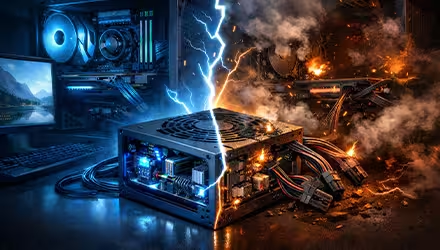
A power supply will rarely be the flashiest component in your PC. It often sits out of sight in your PC, quietly powering every component. Without the right power supply, your PC can become unstable, shut down unexpectedly or even suffer hardware damage.
WHAT IS THE FUNCTION OF A PSU?
PC components are very sensitive and need a clean, steady supply of power to function properly.
A Power Supply Unit (PSU) converts Alternating Current (AC) from your wall outlet into Direct Current (DC). It then safely distributes this power across multiple voltage rails to your PC components.
WHAT IS A WATT?
A watt is the unit of power that measures the amount of energy delivered per second. In the context of a PSU, the rated wattage represents the maximum amount of energy it can deliver to your system at any given time. For instance, an 800W PSU can supply up to 800 watts when running at its maximum capacity.
HOW MANY WATTS DOES YOUR PC NEED?
Before purchasing a PSU, you need to know how many watts your PC requires, which depends on the components you use – especially the CPU and GPU, since they consume the most power.
For beginners, the easiest way to estimate your PC’s power consumption is to add the TDP of your CPU and GPU. You can then choose the next standard PSU size, keeping your estimated draw below 80% of its maximum. The 20% headroom ensures the power supply operates efficiently, stays cool, and has enough headroom for sudden power spikes.
For example, in a build using an AMD Ryzen 5 7600 and an RTX 5060, the total power draw of both the CPU and GPU is 215W. You want this 215W estimate to ideally be less than the 80% of the rated wattage of the PSU you pick. The 550W PYLON II Bronze is a great beginner-friendly option for this entry-level build.
The most accurate method is to add up the power requirements of every component in your PC. Unlike the CPU and GPU, other PC components tend to have similar power draws across different models:
- Motherboard: 40-85W, depending on the chipset
- Memory: 3W per stick
- SSD: 15W per drive
- HDD: 10W per drive
- AIO water cooler: 35W
- Case fan: 5W per fan
After adding the wattage of all the components, pick a PSU rated 150-200W above that total. This helps handle sudden GPU power spikes.
TYPICAL WATTAGE RANGE FOR CPUS AND GPUS
Most mid-range processors draw 65-125W, while high-end variants can exceed 250W. Intel processors often consume more power than their AMD counterparts. For example, the Core i5-14600K can draw up to 180W, while a comparable AMD chip like the Ryzen 5 7600X maxes out at 133W.
Higher-end processors meant for workstations, like the Core i9-14900k, can draw as high as 350W when under full load. AMD’s Ryzen 9 9950x can go up to 250W under load.
When it comes to GPUs, power consumption varies widely across different models. Entry-level cards like the RTX 5050 can draw up to 130W under load, while mid-range ones such as the AMD RX 9060 can reach around 250W.
The RTX 5080 can draw up to 360W, and the RTX 5090 can consume a whopping 575W. Since a PSU is most efficient at around 50% load, these high-end GPUs benefit from a PSU with a rated wattage roughly 25% above the system’s estimated power draw.
For the RTX 5080, an 80 Plus and Cybenetics Platinum-certified PSU like CYBERCORE II is recommended, while the more power-hungry RTX 5090 pairs well with the higher-wattage FUSION 1600 Titanium. This extra headroom also supports multi-GPU configurations, allowing the PSU to run quieter and more stable under heavy loads.