ما المقصود باللوحة الأم ذات الموصلات العكسية؟
اللوحات الأم ذات الموصلات العكسية تقوم بنقل العديد من الموصلات والمنافذ الداخلية من واجهة اللوحة الأمامية إلى الجهة الخلفية من لوحة الدوائر المطبوعة (PCB). واعتمادًا على العلامة التجارية، يشار إليها غالبًا باسم اللوحات الأم ذات التوصيل الخلفي. النتيجة هي بناء داخلي أكثر نظافة وجمالية، وربما تدفق هواء أفضل - إذا كان هيكل الكمبيوتر لديك يدعم هذا التصميم الخلفي للموصلات.
كيف تعمل اللوحات الأم ذات الموصلات العكسية؟
تقوم اللوحة الأم ذات الموصلات العكسية بنقل العديد من الموصلات إلى الجانب الخلفي من اللوحة، مما يبقيها بعيدًا عن الأنظار. يشمل هذا عادةً: موصل الطاقة ATX ذا 24 سن، ومنافذ SATA، وموصلات المراوح، ومداخل ومخارج الواجهة الأمامية. تذهب بعض الأنظمة البيئية إلى أبعد من ذلك من خلال دمج اللوحة الأم مع تصاميم كروت شاشة متوافقة لتقليل الكابلات المرئية بشكل أكبر. على سبيل المثال، تستخدم تقنية ASUS Advanced BTF فتحة كارت شاشة مخصصة عالية الطاقة على بعض لوحات BTF معينة. عمليًا، تساعد هذه اللوحات الأم في تقليل الكابلات في المناطق المرئية بشكل كبير، مما يحسّن تدفق الهواء ويوفر مظهرًا أنيقًا وأكثر سلاسة.
الإيجابيات والسلبيات
تقدم اللوحات الأم ذات الموصلات العكسية مكاسب جمالية كبيرة، مع بعض المقايضات العملية.
بيئات داخلية أنظف
في علب الألعاب ذات الألواح الزجاجية حيث كل شيء مرئي، تعمل الموصلات الخلفية على إبقاء الكابلات بعيدًا عن المشهد الرئيس، مما يضع المكونات - وليس الأسلاك - في الواجهة والمركز.
سهولة الوصول والصيانة
مع توجيه معظم الكابلات خلف صينية اللوحة الأم، تصبح الحجرة الرئيسية أقل ازدحامًا. عمليات تبديل المكونات (مثل كارت الشاشة أو الرامات) تكون عادةً أسهل، وكذلك التنظيف يكون أكثر مباشرة.
فوائد محتملة لتدفق الهواء
قلة فوضى الكابلات تعني عددًا أقل من العوائق، مما قد يحسّن تدفق الهواء إلى المكونات الرئيسية، خاصةً في العلبات صغيرة الحجم.
قيد التوافق مع الهيكل
اللوحات ذات التوصيل الخلفي تتطلب علبًا تحتوي على فتحات صحيحة ومساحة خلف الصينية كافية. نظرًا لأن هذا التصميم لا يزال جديدًا نسبيًا، فإن خيارات العلبات المتوافقة تكون أكثر محدودية. لهذا السبب، غالبًا ما يتعاون مصنعو اللوحات الأم مع صانعي العلبات لتقديم موديلات متوافقة ومعتمدة.
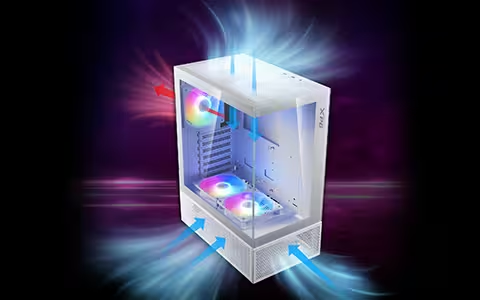
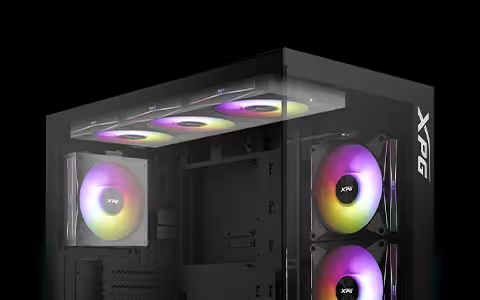
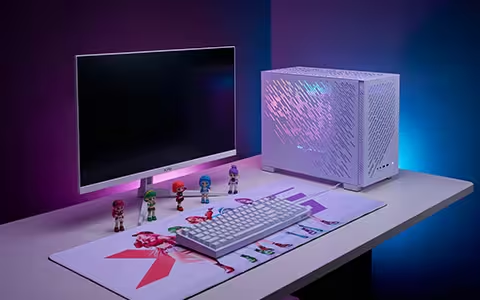
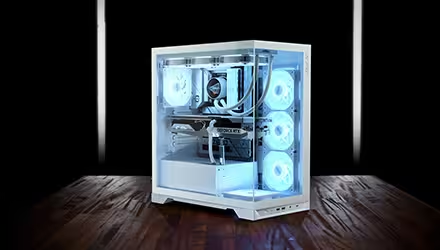
على سبيل المثال، تقدم XPG علبتين متوافقتين: الأولى هي STARKER AIR BTF المناسبة للمبتدئين، والتي تأتي مع أربع مراوح مثبتة مسبقًا، والثانية هي العلبة البانورامية INVADER X BTF ، والتي تضيف إمكانيات أكثر تقدماً لتنظيم الكابلات، وتُشحن مع أربع مراوح عكسية مثبتة مسبقًا بالإضافة إلى مروحة قياسية واحدة.
خلوص الكابلات لا يزال مهمًا
التوجيه يصبح أنظف، لكن الجانب الخلفي قد يصبح مزدحمًا. نظرًا لأن الموصلات تبرز من الجزء الخلفي للوحة الأم، فإن سماكة الكابلات والموصلات تعد من الاعتبارات المهمة.
|
الإيجابيات |
السلبيات |
|
بناء جهاز كمبيوتر أنيق ونظيف بشكل لا يصدق |
دعم العلبات محدود؛ يجب اختيار علبة متوافقة مع BTF/الموصلات العكسية وتحتوي على الفتحات المطلوبة |
|
تنظيم كابلات لا مثيل له |
لكن الجانب الخلفي قد يصبح مزدحمًا، لذا انتبه لسماكة الكابلات والموصلات |
|
وصول أسهل للترقيات والتنظيف |
|
|
كما أن المساحة الداخلية المفتوحة يمكن أن تحسّن تدفق الهواء |
|
هل اللوحات الأم ذات الموصلات العكسية متوافقة مع جميع المكونات؟
معظم القطع متوافقة - لكن القيد الرئيس هو هيكل الكمبيوتر. نظرًا لأن الموصلات تقع في الجزء الخلفي من اللوحة الأم، يجب أن تحتوي العلبة على الفتحات الصحيحة ومساحة كافية خلف صينية اللوحة الأم.
عند اختيار هيكل كمبيوتر، تأكد من:
● أنه يدعم صراحةً اللوحات الأم ذات الموصلات العكسية reverse-connector / BTF / Stealth / Zero / back-connect.
● أنه يدعم حجم اللوحة الأم التي اخترتها (ATX أو mATX).
● أنه يتوافق مع النظام البيئي الذي تستخدمه (مثل ASUS BTF، أو Gigabyte Project Stealth، أو MSI Project Zero).
المكونات الأخرى متوافقة إلى حد كبير، لكن التحقق بعناية من قياسات الخلوص والملاءمة سيمكنك من تجنب أي مفاجآت غير متوقعة.