




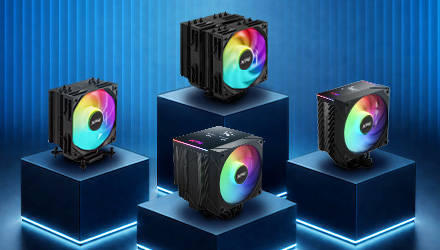
CHOOSING BETWEEN SINGLE-TOWER AND DUAL-TOWER CPU AIR COOLERS
Single-tower and dual-tower CPU air coolers use the same basic cooling method: they transfer heat from the CPU into metal fins, then use airflow to move that heat out of the cooler. The key difference is the heatsink layout, which affects cooler size, compatibility, airflow, and cooling headroom.
Single-Tower Coolers: Compact Cooling for Gaming PCs
A single-tower CPU air cooler uses one fin stack, usually paired with one fan. Its slimmer design makes it easier to install, fits more cases, leaves more room around the RAM, and still provides enough cooling for many mainstream CPUs.
This makes single-tower coolers a practical choice for many gaming PCs, especially builds where space, compatibility, and ease of installation matter. They are also a good fit for first-time builders who want reliable cooling without dealing with the extra clearance checks that larger dual-tower coolers may require.
Dual-Tower Coolers: More Cooling Headroom for Higher-Power CPUs
A dual-tower CPU air cooler uses two fin stacks, often paired with two fans, to increase cooling surface area and airflow. This gives the cooler more thermal headroom for higher-power CPUs, extended gaming sessions, rendering, streaming, or quieter operation under load.
Dual-tower coolers are especially useful when you want stronger sustained cooling without pushing fan speeds as high. This can help the system stay more stable and quieter during longer high-load sessions.
How Do Their Cooling Designs Differ?
Both designs use the same core parts: heat pipes, fins, fans, and a contact plate. The difference is how much surface area and airflow each layout can support.
Copper heat pipes carry heat from the CPU base into the fin stack. In a single-tower cooler, heat is directed into one fin stack. In a dual-tower cooler, it is usually spread across two fin stacks, giving the cooler more surface area to dissipate heat.
The contact plate sits on top of the CPU and helps transfer heat from the processor into the cooler. A flat, well-mounted contact plate helps improve thermal transfer, especially when paired with properly applied thermal paste.
The fins, usually dozens of thin aluminum plates, provide the surface area that airflow needs to remove heat. One fin stack keeps the cooler slimmer and easier to fit in your case, while two fin stacks give airflow more surface area to pass through, helping dual-tower coolers handle higher thermal loads.
Fans complete the process by moving warm air away from the fins. A single-tower cooler usually uses one fan, while a dual-tower cooler often supports two fans to increase airflow and move heat away more efficiently.
What Should Beginners Check Before Buying?
When shopping for a CPU air cooler, start with four essentials: cooler height, RAM clearance, CPU socket support, and case airflow. Since dual-tower coolers have a larger footprint, it is especially important to check clearance before purchase. Tall RAM modules, motherboard heatsinks, and compact PC cases can affect compatibility.
Check your PC case’s CPU cooler height limit to make sure the side panel can close properly. RAM clearance matters because larger coolers can interfere with tall memory modules, while socket support confirms the cooler includes the right mounting hardware for your CPU platform.
Which CPU Air Cooler Should You Choose?
For compact cases, mainstream CPUs, or first-time builds, the MAESTRO PLUS 42SA and MAESTRO 42SA are practical single-tower options. Their slimmer layout helps simplify installation while still delivering reliable cooling for everyday gaming systems, with support for CPUs up to 220W TDP.
For higher-power CPUs, larger cases, or users who want more cooling headroom under sustained loads, the MAESTRO PLUS 62DA and MAESTRO 62DA offer a dual-tower layout built for stronger thermal performance, supporting CPUs up to 250W TDP.
The best choice is not always the biggest cooler. Choose the model that fits your case, clears your RAM, supports your socket, and matches the way your system will be used.