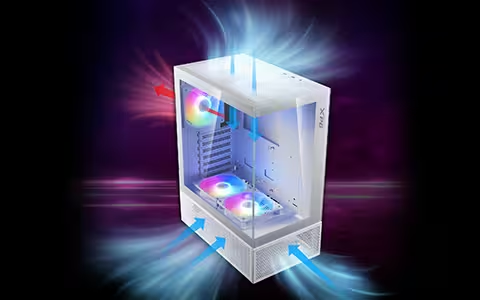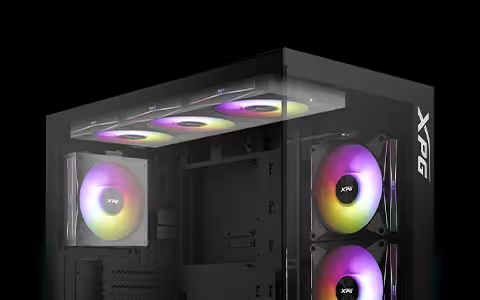
CLEANING PC MESH FILTERS FOR BETTER AIRFLOW
Dust is one of the biggest enemies of good airflow in a PC. It can lead to overheating, thermal throttling, increased fan noise as cooling components work harder, and in extreme cases, system instability or crashes.
Some dust buildup is unavoidable, but mesh filters are your PC's first line of defense. Regular cleaning helps them do their job, and choosing the right cleaning method makes the process easier and safer.
WHY MESH FILTERS NEED REGULAR CLEANING
Mesh filters are one of the best ways to keep dust out of the PC’s internal components. Many modern PC cases include built-in dust filters, and without them, internal cleaning would be required much more often.
However, mesh dust filters can clog faster than expected. This is especially true if your PC sits on the floor, or you have pets or carpets nearby. As dust accumulates, airflow is restricted, reducing cooling efficiency and increasing internal temperatures.
WHEN TO CLEAN MESH FILTERS
If you notice visible buildup or matting on the mesh, it is time to clean the filters. Other non-visual signs include fans ramping up more frequently, rising case temperatures, and dust collecting near intake vents.
Depending on your environment, it is best to check your mesh filters once a month and perform a deep clean every 3 to 6 months.
BEST WAYS TO CLEAN MESH FILTERS
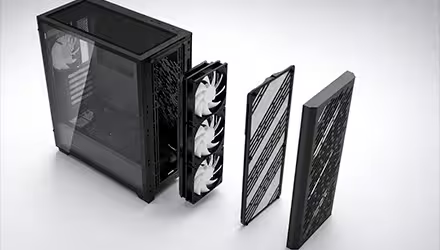
The goal when cleaning mesh filters is to remove all the dust without forcing it deeper into the mesh. For this reason, wiping the filter down when it is still installed is often counterproductive. It is better to remove the filter and clean it separately.
Before cleaning, power down and unplug your PC, then remove the mesh filters and take them to a well-ventilated area.
Since dust filters need regular maintenance, choose a PC case that makes the job easier. The VALOR chassis series comes with easy-remove magnetic front panels and filters, making the process quicker and more convenient.
COMPRESSED AIR VS. VACUUM: WHICH IS BETTER?
Compressed Air
Compressed air is a popular and effective way to clean mesh filters. Without requiring physical contact, it gets into every nook and cranny and reaches smaller openings. It is generally safe and beginner friendly.
Tips for using compressed air:
● Hold the can upright.
● Use short bursts to avoid propellant spit.
● Blow air from the clean side outward, against the normal airflow direction.
● Keep the nozzle a few inches away from the mesh (don't blast point-blank).
● Only clean mesh filters when they are fully removed.
● If cleaning inside the case, hold fan blades in place to prevent damage.
● Allow any moisture fully evaporate before powering the PC back on.
Vacuum Cleaner
Do not use a regular household vacuum inside your PC, as it can generate static electricity and cause damage to components. However, a vacuum can be used to clean mesh filters once they are completely removed from the case.
If using a vacuum:
● Use a soft brush attachment
● Set the vacuum to the lowest suction setting.
● Avoid pressing hard into the mesh to prevent bending or damage.
|
Method |
Pros |
Cons |
|
Compressed air |
· Quick and easy to use · Great for tight spots · Minimal physical contact · Low risk of bending the mesh |
· Can spray propellant if tilted or held too close · Can spin fans if used inside the case |
|
Vacuum cleaner |
· Clean, controlled dust removal · Useful for detached filters and the area around the PC |
· Should never be used inside the case · Risk of static electricity · Risk of damage from suction · May dent or deform filters |