PC-VENTILATORCONFIGURATIE OPTIMALISEREN VOOR LUCHTSTROOM
Je zou kunnen denken dat meer ventilatoren een pc koeler maken. Maar als de luchtstroom slecht is, zullen nog grotere ventilatoren niet helpen.
Slechte ventilatorconfiguraties kunnen hete lucht tegenhouden en de interne luchtdruk van de behuizing verstoren. Door simpelweg de ventilatoren te herschikken, kunt u de koelprestaties van de pc drastisch verbeteren.
HOE WERKT DE LUCHTSTROOM IN EEN PC?
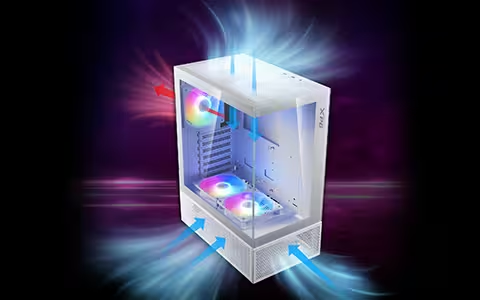
Een ventilator blaast lucht in slechts één richting. Afhankelijk van de richting kan het een inlaatventilator zijn die lucht in de behuizing trekt, of een afzuigventilator die lucht naar buiten duwt.
De balans tussen de inlaat- en uitlaatluchtstroom bepaalt de luchtdruk binnen de behuizing, ook wel de in-case luchtdruk genoemd. Te veel inlaatluchtstroom zorgt voor positieve druk, terwijl te veel uitlaat deze negatief maakt. Geen van beide extreme is ideaal. Een lichte positieve druk of een neutrale druk – waarbij de inlaat overeenkomt met de uitlaat – is het beste voor de meeste instellingen.
De volgende stap is het optimaliseren van de luchtstroomrichting. De heetste componenten in een pc zijn meestal de CPU en GPU. Beide vereisen een constante toevoer van verse, koele lucht uit de inlaatventilatoren, waarbij de uitlaatventilatoren de hete lucht die ze produceren snel verwijderen.
Dit kan het beste worden bereikt met een luchtstroompad van voor naar achter en/of van onder naar boven. Inlaatventilatoren bevinden zich meestal aan de voor- en onderkant van de behuizing, terwijl de afzuigventilatoren aan de boven- en achterkant van de behuizing zitten. Deze configuratie is geschikt voor bijna elke mid-tower PC-behuizing.
WAT IS DE BESTE VENTILATORINSTELLING VOOR U?
Ventilatoren zijn meestal verkrijgbaar in drie maten: 120 mm, 140 mm, en soms 200 mm. Grotere ventilatoren zijn doorgaans stiller omdat ze langzamer kunnen draaien. Als de behuizing dat toelaat, is het meestal het beste om te kiezen voor grotere ventilatoren, omdat ze meer lucht bewegen terwijl ze langzamer en stiller draaien.
Voor beginners is een behuizing met vooraf geïnstalleerde fans ideaal. Gebruik in een eenvoudige opstelling met drie ventilatoren één afzuigventilator achter en twee inlaatventilatoren vóór. Voor een opstelling met vijf ventilatoren kunt u een inlaat aan de onderkant en een uitlaat aan de bovenkant toevoegen. Als de behuizing geen onderste ventilatoren ondersteunt, voegt u in plaats daarvan een derde voorste inlaat toe, met twee afzuigventilatoren aan de achter- en bovenkant. Een opstelling met vier ventilatoren met twee inlaten en twee uitlaten zorgt ook voor een uitstekende luchtstroom.
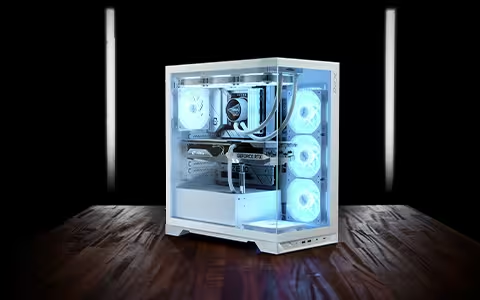
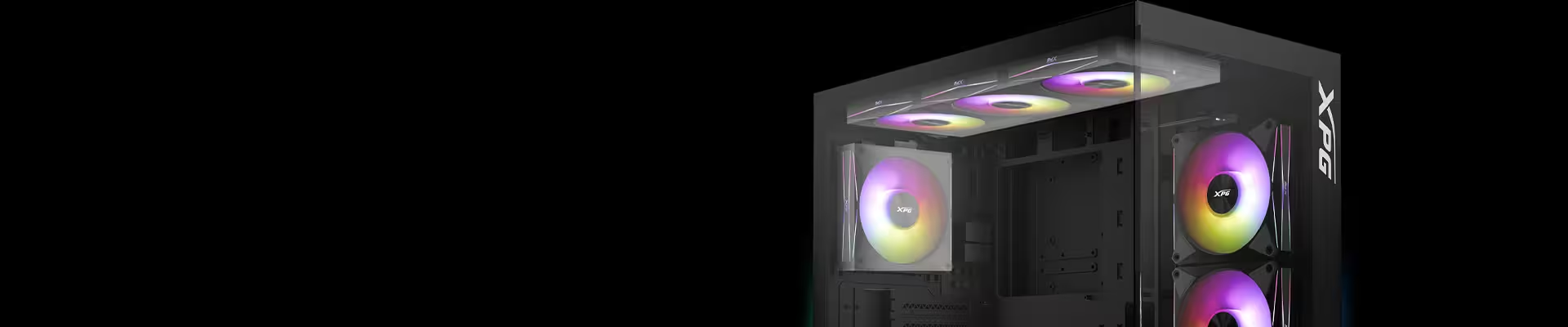
De laatste tijd is de populariteit van de panoramische “aqurarium”-behuizing sterk toegenomen. Deze zijn voorzien van een glazen paneel aan de voorzijde, waarbij de inlaat naar de zijkant is verplaatst. INVADER X BTF is een voorbeeld, met vijf vooraf geïnstalleerde ventilatoren, waarvan vier een omgekeerd ontwerp gebruiken voor betere prestaties. De principes van de luchtstroom blijven voor deze behuizingen gelijk, met zij-inlaat en achterste/bovenste uitlaat.
Als u een AIO vloeibare CPU-koeler gebruikt, kan een aan de voorzijde gemonteerde radiator met ventilatoren in de inlaatconfiguratie helpen lagere CPU-temperaturen te bereiken. Dit is ideaal voor een productiviteitsgerichte pc met CPU-intensieve software. Het gebruik van een radiatorset aan de bovenzijde als uitlaat zorgt voor een evenwichtigere CPU- en GPU-temperatuur, die over het algemeen beter geschikt is voor een gaming-pc.
TIPS OM DE PRESTATIES VAN DE VENTILATOR TE OPTIMALISEREN
Stof is de grootste vijand van pc-onderdelen. Het gebruik van stoffilters op alle inlaatventilatoren houdt de pc schoon en zorgt voor een optimale luchtstroom. Een goed kabelbeheer draagt ook bij aan een soepele luchtstroom, omdat een wirwar van kabels turbulentie kan veroorzaken.
Een andere tip is om te voorkomen dat een inlaat- en afzuigventilator naast elkaar worden geplaatst. Hierdoor ontstaat een "dode zone" waar de frisse lucht onmiddellijk wordt verdreven zonder door de behuizing te circuleren.
Voor beginners zijn ventilatoren zoals de HURRICANE mag 120 ARGB PWM handig, zodat u met één klik op de ingebouwde kabelcontroller kunt wisselen tussen de inlaat- en uitlaatmodus, waardoor u de ventilator niet fysiek opnieuw hoeft te installeren.