CASE PRESSURE 101: INTAKE VS EXHAUST FOR CLEANER BUILDS
Dust buildup is the enemy of every PC component. The good news is it can be slowed down by setting up positive air pressure in the case and using dust filters.
WHY CASE PRESSURE MATTERS
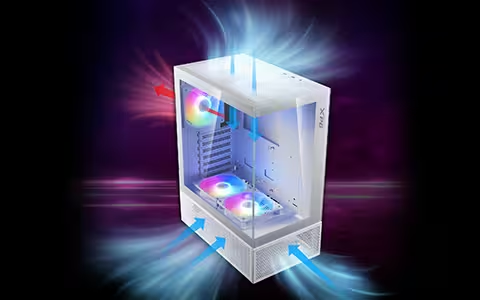
Case pressure depends on the balance between intake and exhaust fans: if intake airflow exceeds exhaust, the case has positive pressure; if exhaust is stronger, it has negative pressure; and if they are roughly equal, it is neutral.
Positive pressure pushes excess air out through gaps and vents, which helps limit unfiltered air being drawn in and can reduce dust buildup. Negative pressure pulls air in through those openings instead, often increasing dust if they are unfiltered. Neutral pressure sits between the two, with minimal airflow through case gaps.

AIRFLOW, COOLING, AND DUST CONTROL
Pressure alone does not determine temperatures. In most builds, temperatures depend more on total airflow, restrictions (filters and radiators), and having a clean airflow path. A good positive pressure setup can cool just as well as a neutral or negative setup.
For dust control, the most important step is filtering intake vents. Filters add airflow resistance, but unfiltered intake fans will pull dust straight into the PC. Many cases including the VALOR AIR PRO, use magnetic dust filters that are easy to remove and clean.
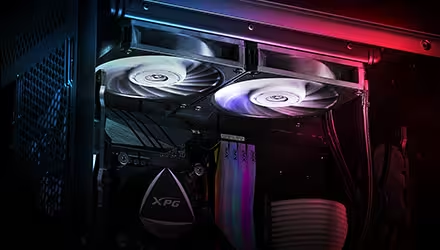
Airflow is further restricted when fans are working against an AIO liquid cooler radiator. To move air through dust filters and radiators, high static pressure fans, such as the VENTO PRO 120 PWM, are generally a better choice.
CHOOSING THE RIGHT FAN SETUP
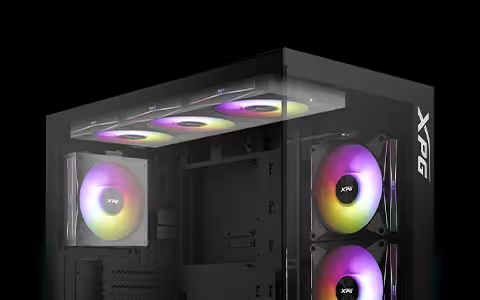
Another factor that can affect intake and exhaust balance is the size and speed of your PC case fans. Fans often come in three different sizes: 120mm, 140mm, and, for specialized cases, 200mm. Larger, faster fans will move more air at the same noise level, but actual airflow depends on the fan model, RPM, and restrictions.
If you use AIO radiators and fans of different sizes, simply counting the number of intake and exhaust fans is not always enough. Instead, consider the total intake vs total exhaust airflow and tune fan curves based on temperatures and noise.
THE BEST APPROACH FOR MOST BUILDS
Beginners who want a low-maintenance build should aim for positive air pressure. When dealing with 3-5 case fans, the simplest approach is to add one extra intake fan or use larger intake fans. With more than five fans, a good rule of thumb is to run slightly more intake fans than exhaust.
Enthusiasts chasing the last few degrees may experiment with neutral or negative pressure setups, but dust control still comes down to good filtration and regular cleaning.